About Angus Jones

Angus started his first small business in 1989 and has since gone on to have a successful career in marketing. He realised although there were many websites for small business none was addressing the question of how to. Angus has a passion to articulate benefits that add value to customers/readers.

Currency Risk calculator to help businesses

OFX, a leading online foreign exchange and global payments provider, announced the launch of its Currency Risk Exposure calculator. This free online tool aims to support globally-minded businesses with navigating the currency risks involved with cross-border trade.

The strong volatility seen over the last 12 months meant that Australian businesses paying in USD, as an example, juggled rates as low as 0.57 in March ’20 to highs of 0.78 in Jan ’21. The OFX Currency Risk Exposure calculator was developed to help uncover the true cost of volatility when trading internationally and support companies with building confidence when dealing with global markets and foreign currencies. The free online calculator informs local companies about the potential risks of a reactive approach to currency fluctuations by providing detail of on-the-day and historic market exchange rates. 

“If you’ve ever timed a global money transfer to get the best exchange rate for your business, you’ll understand small market movements can make a big difference to your bottom line. However, many small businesses out there don’t know the true cost of FX due to a lack of transparency with their financial institutions and readily available resources.”

“The OFX Currency Risk Exposure calculator is a foundational tool that clearly outlines potential business savings to bridge that FX education and awareness gap,” said Michael Judge, Head of Australia and New Zealand, OFX.

Uncovering the real impact of currency fluctuations

Small currency fluctuations can add up. So businesses need to be aware of the effect shifting market exchange rates can have on business cash flow and understand how to plan for the good and the bad. 

Easy to use, the OFX Currency Risk Exposure calculator considers several inputs that can influence FX results. Users fill in an online form detailing the local currency where their business is based, the currency they are typically invoiced in, the typical amount of the invoice, and standard payment terms.

The calculator then compares three example cost scenarios of purchasing the desired currency – at the current market rate and at the lowest and highest market rate over the previous three months. Cost comparisons are calculated using historical currency market rates for demonstration purposes only*.

For example, the OFX Currency Risk Exposure calculator reveals that a US100,000 invoice could have cost as much as AUD 131,881 and as little as AUD 125,821 in the last 3 months – a marked difference of AUD 6,060.

Saving thousands with enhanced FX risk knowledge

The digital FX and payments company hopes the Currency Risk Exposure calculator will bring awareness to an often-overlooked factor for businesses moving money globally and encourage businesses to break pre-existing reactive habits and attitudes towards currency fluctuations.

As businesses build a more sophisticated understanding of which FX risk management strategies best suit their needs, enhancing this knowledge with FX specialist advice will position them well to minimise FX exposure to business profit margins.

“Businesses don’t need to leave their currency risk to chance or at the mercy of on-the-day rates. Forward contracts, for example, help our clients with a confirmed exchange rate for up to 12 months and, on many occasions, real savings against unfavourable changes in foreign currency markets.

“Whether your business is a newbie to FX or has a solid currency plan in place, bringing this kind of certainty to what can otherwise be an unpredictable area of business can have a big impact on earnings or equally the cost base of a business,” added Michael Judge.  

The OFX Currency Risk Exposure calculator is available here.

Accounting packages can also help you manage your finances

Car Expenses

Work-related car expenses are among the simplest business expenses that can be claimed against your tax bill, thus saving you money. However, claiming does require some discipline. There are different methods like the ATO cents per km and logbook methods to choose from.  This guide will help you decide which car expense deduction method is right for your small business.

A car expense is a cost associated with the running of a car and can include fuel, tyres, servicing, repairs, insurance, tolls, parking, registration, hiring, interest on vehicle loans, lease payments and depreciation. A work-related expense is one that is incurred whilst performing your job.

WHY should I bother?

To claim a motor vehicle expense, you must be able to provide the Australian Tax Office (ATO) a sound justification for the kilometres that you travelled for work purposes. Unfortunately, just because you have a work vehicle that may even advertise your services on the side, it does not mean you can claim 100% of its costs.  The ATO is looking to understand how much you used this vehicle for business purposes versus private usage. So, unfortunately, the trip down to the beach in the ute is unlikely to be a tax deduction.

When you add up the costs of owning and running a vehicle, these costs can run up to hundreds of dollars a week. Over a year, that is thousands of dollars.  If some of this can be claimed, it is much better in your pocket.

WHAT can I claim as car expenses?

Claimable work travel includes:
  • Travel between work locations
  • Travel to a customer
  • Travel to pick up work equipment or supplies
  • Travel to work-related conferences and training courses

Travel from your home to work is not a tax deduction. This includes travel where you may do minor work-related tasks such as collecting mail. Travel from home to work can be claimed where:

  • You are a home-based business, so any business travel can be claimed such as visiting the bank or accountant.
  • You need to transport bulky items to and from their usual place of work where there is no reasonably secure storage provided on-site. For example, a tradie van or ute contains the tools of the trade.
  • You need to travel to a different location for business purposes, such as a customer meeting before or after work.
  • You are on-call, and thus your work has commenced before you leave your home. This would include emergency services, medical staff and after hour repair technicians.

HOW do I claim car expenses?

There are three ATO methods to claim motor vehicle expenses:

1. Cents per km method
2. Logbook method
3. Actual cost method

You may only use one method per year per vehicle.

If you are a Sole Trader or Partnership, you can choose between cents per km or the logbook method. However, if you own a motorcycle or a vehicle designed to carry either greater than one tonne or nine or more passengers, you must use the actual cost method. Thus, if you are a tradie with a one-tonne, ute you must keep actual records all year long.

If you are a Company or Trust, you also must use the actual costs method.

Cents per kilometre method

Every year you can claim up to 5000 kilometres per car based on a cents per kilometre deduction. For the 20/21 tax year, this rate is $0.72 per km. You must provide electronic or written evidence such as a diary to substantiate your kilometres travelled. We suggest you record the date, starting and ending kilometres and reason for travel. If you made a business trip in the 20/21 tax year of 32km, you could claim 32 x $0.72=$23.04.

Logbook method

The logbook method is a means to calculate the percentage of business travel versus private travel. It requires you to keep an electronic or written logbook per car for a single 12-week period within the taxation year.

As a separate exercise, you must record all your car-related expenses for that income year such as fuel and servicing expenses. Although we don’t recommend it, costs can be estimated based on odometer readings.

If over the 12 weeks you travelled 10,000 k kilometres and 6,000 were for business, then your business usage would be 60% (6,000/10,000). If your car expenses, including depreciation, were $9,000 for the income year, you could claim $5,400 ($9,000 x 60%).

The ATO states your logbook must include:

  • when the logbook period starts and ends
  • the vehicles odometer readings at the beginning and end of the logbook period
  • the distance the car travelled during the logbook period
  • kilometres travelled for each journey. If you make multiple journeys on the same day, you can record them as a single journey
    • reason for the trip (business reason or private use)
    • date of the journey
    • odometer readings at the beginning and end of the trip
  • the odometer readings at the start and end of each subsequent income year your logbook is valid for
  • the business-use percentage for the logbook period
  • the brand, model, engine capacity and rego of the car.
Actual cost method

The actual cost method requires you to keep track of every journey and every cost for that vehicle whilst it is owned by the business. As part of this process, you must keep the same sort of records as per the logbook method, but for 52 weeks or the time you have owned the vehicle. The costs for the year, including depreciation, can then multiply by your actual business use percentage to work out the deduction you can claim.

If you provide a vehicle to an employee or a spouse, tax implications are best discussed with a tax accountant.

HINTS

At the time of writing, the government provides a tax incentive to write a car off in the current financial year via temporary full expensing.

If your employee uses their own car for your business, your business can claim a deduction for any motor vehicle allowances or reimbursements you pay them for their costs, such as the cost of fuel.

There are various smartphone applications available to help you keep track of vehicle expenses, just search car logbook apps in your app store.  Some of these will use GPS tracking to make your input easier. The ATO also provides a handy app to keep track of vehicle trips and other business expenses and income.

If using the logbook method best not to include your 4-week driving holiday as part of the 12 week calculation period.

Information on buying vs leasing can be found here.

A guide to buying a van can be found here.

SUMMARY – work-related car expenses

Business use of a vehicle is tax-deductible.  There are three methods to claim a deduction; the choice depends on your business structure and the type of vehicle you use. Accurate record-keeping is important and will make your life so much easier come tax return time. If in doubt about anything discussed in this guide, we recommend you contact your accountant or seek clarification from the ATO

Tradies take over the small business sector

Although the rise of the online entrepreneur or the stereotype of the corner shop owner, today’s small business owner in Queensland is much more likely to be a tradie than anything else.

The most typical profile of a small business owner in Queensland is male, aged 45, working as a sole trader in the building and construction industry, most likely a carpenter. In fact, recent data analysis and industry profiling has highlighted that small construction businesses make up the largest share of small business in Queensland.

This finding has emerged as part of Construction Skills Queensland (CSQ) research in the lead-up to Queensland Small Business Month, which runs throughout May. It has highlighted that of the 450,000 small businesses in Queensland, 75,000 are building and construction-focused, representing 17% of all small businesses in the economy.

Since 2015, the number of small construction businesses in Queensland has increased by 5,000 – a growth of 8 per cent.

CSQ Research Director Robert Sobyra said that the small business tradie number is likely to continue growing with elevated home building activity.

“More small businesses have sprung up over the last five years, and we would expect this to continue even more so off the back of the current building boom.

“While the construction industry is a massive employer – employing 225,000 Queenslanders – two-thirds of these people work in a small business,” Mr Sobyra said.

“Ninety per cent of Queensland’s construction businesses have a staff of fewer than 5 people, and sixty per cent of them are working solo,” he said.

“The construction industry really is the home of small business in Queensland.”

Mr Sobyra said one of the benefits of attracting people to working in the construction industry was the ability to quickly become your own boss.

“It is not uncommon to find a tradie in their mid-twenties who has set up their own business and will move on to employing staff before they reach thirty.

“This is a much quicker trajectory than what you will find in a corporate setting.

“The building and construction industry rewards hard work and initiative, and young people can quickly move into business ownership.

“But the flipside of this is that many of these new business owners do not have the professional experience and business management skills to run a business to its full potential.

“They are also extremely time poor, so don’t believe they have the space to study or train to get these business management skills,” he said.

CSQ encourages small businesses in the industry to take up heavily subsidised training opportunities designed to help them bridge this gap.

“CSQ has a range of courses specifically designed for small construction businesses, particularly to help new business owners get essential skills so that their business can thrive. These include courses covering various essential areas such as financial management, legal requirements and risk management.”

May is Queensland Small Business Month. CSQ Research Director Robert Sobyra will present CSQ’s industry profiling data and other insights at the Small Business Friendly Conference on 30 April 2021.

Information about CSQ courses for small business can be found here.

For more information on how to start your own small business, see our guide here.

ACCC Franchising tips

Franchising allows you to run a business by buying into a ready-made business with an existing brand, systems and offering. In some ways, it is a low-risk way to buy a ready-made income.

Small Business Answers has written a complete guide on buying a franchise.

A franchise does indeed come with its own risks and challenges. Many of these risks and challenges can be avoided by doing your homework before you sign on the dotted line.

According to the Australian Competition and  Consumer Commission (ACCC), they receive around 500 contacts in a typical year.  These enquiries are about people trying to understand their rights and understand if something is within the law.  To help small business, the ACCC has produced a new webpage with helpful franchising tips.

The ACCC covers the following topics:
  • Can you make an income from a franchise
  • understanding what flexibility you may have and will you really be your own boss
  • franchising does not guarantee profitability
  • Will the law protect me if something goes wrong
  • Franchising agreements are for fixed terms, and then what happens

The page also looks at several case studies, which help put everything into perspective.

The ACCC tips website “Franchising: Is it for you?” can be found here.

ATO turns on Online services for business

The Australian Taxation Office (ATO) has flicked the switch on for its new service Online services for business, replacing its existing Business Portal.

The change makes Online services for business the ATO’s default service for businesses that interact directly with the ATO online. 

ATO Deputy Commissioner Deborah Jenkins said, “The Business Portal has served us well over the last 17 years, but it’s time to replace it with a much more contemporary service that’s been developed with business, so we know they’ll enjoy using it.”

“We’ve done extensive testing with clients. In the spirit of designing with the end-user in mind, many businesses have been involved in developing the service from the very beginning. We are grateful for the valuable feedback we’ve received. We’ve made many tweaks and improvements to the service as a result and continue to work through how we can further improve the experience for all businesses as they transition to our online platform.”

The new service makes it easier for businesses to interact with the ATO online and provides a secure channel to manage their tax and super obligations. It can be accessed on multiple devices, including on devices like your smartphones or tablets.

In addition to providing the services available in the Business Portal, Online services for business allows users to access new services including:

•               view and print tax returns and income tax history
•               create payment plans
•               switch between your businesses with a single login
•               customise your homepage
•               access new secure mail subjects.

“The new time-saving features include the ‘switch ABN’ function, which allows clients to easily move between the businesses they manage without having to log out and back in again. Businesses have also told us they love being able to organise a payment plan with us online using the service rather than calling us, which saves them precious time,” Ms Jenkins said.

“We’ve seen a great increase in participation from small business owners making the switch to the new service. Businesses in the professional, scientific and technical services and construction sectors have been quick to jump on board. We’d like to see more of manufacturing, retail trade, health care and social assistance businesses also start using the service”.

Businesses can start using Online services for business by logging in with their myGovID as they did for the Business Portal. Those new to our online services, will need to set up a myGovID and be linked to their organisation through Relationship Authorisation Manager.

“We understand this year has, and continues to be, challenging for many clients. We know businesses have a lot on their plate. So we will maintain the electronic superannuation tool (eSAT) and Business Portal for a transition period over the coming months to help users adjust to the new service. We are here to support businesses through this transition and whilst the new service will ensure an improved experience across a range of services. It is important to note that it is not a replacement for the professional advisory services provided by tax professionals,” Ms Jenkins said.

For information about Online services for business, including how-to guides, visit www.ato.gov.au/OSB.

Small Business Answers guide to tax returns can be found here.

Budgeting for your future


As many small businesses look for ways to bounce back from the many financial pressures experienced during the global pandemic, it can be difficult to pinpoint exactly where to start. Thus budgeting for your future is important.

Whether business leaders like it or not, a budget will be the guiding force that helps them get back on their feet and make strides towards a financially fit future.

For those looking at the best place to start, here are five ways to map out a business budget you’ll actually stick to.

1. Tally your income sources

Where are your main sources of income coming from? 

Start by looking at your sales figures, and then add any other sources of income for your business throughout the month.

Do you run any additional services alongside your main product or service offering? This can all add up when it comes to funds coming into your business.

No matter how many income sources you have, it’s essential to account for any and all income flowing into your business. Then tally all those sources to get a clear picture of your total monthly income.

You may also want to differentiate between recurring and one-off income in your accounting software. If you decide to take on any external funding down the track, this will demonstrate consistent revenue to potential investors. 

2. Determine fixed costs

Once you’ve sorted out your streams of income, now it’s time to get a handle on your fixed costs.

Fixed costs are any expenses that remain the same from month to month. These include your rent or mortgage, any loan repayments, as well as operating overheads like recurring equipment leasing payments, licenses, or insurances.

Are there ways you can cut down on these fixed costs? Perhaps refinancing your property mortgage or negotiating a lower interest rate for your loan might be a solution? It’s usually worth doing your research into different, more cost-effective platforms, especially in a competitive market with interest rates at record lows. Even if you don’t feel like you have time to look at your loan, it is important to always revisit your options and do your research on new products and rates in the market. Currently, with interest rates at all-time lows, it is a great time to save a significant amount of money, so it is worth allocating time to assess the options available.

3. Calculate your variable expenses

At the end of each month, work out your variable expenses. These costs don’t come with a fixed price tag and can vary in price from month to month, such as electricity, phone bills, or water bills. 

These costs can often fluctuate based on usage, so it’s a good idea to go through them with a fine-tooth comb to work out which expenses you need and what ones you can opt out of. Especially if your team only works from the office flexibly instead of full-time. Still, paying for that unused Spotify subscription for office beats? 

Maybe the water cooler is no longer on duty, or the fax machine is out of commission? Do you really need to order that extra box of whiteboard markers and backup printer ink? One benefit of transitioning to remote or hybrid working arrangements is that you can cut out any unnecessary expenses that you’re not using regularly anymore.

4. Set up an emergency fund 

As a business owner, you’ll know that accidents, issues or a once-in-a-lifetime pandemic can happen. Whether your computer system crashes, the toaster sparks a fire or a freak flood creates water damage, you need to be prepared for any unexpected costs.

Make sure you have some extra funds (around three months worth) tucked away for a rainy day, so you have peace of mind that you’re equipped to cover any surprise costs that come your way.

5. Evaluate your budget monthly, and stick to it

Once you’ve worked out a snapshot of your profit and loss, and you can determine what needs to be covered in your monthly budget, stick to the budget and track its success. 

Health-check your budget at least once a month to ensure you have more revenue coming in than costs going out. 

Are you actually maintaining your budget? Or blowing it? What expenses can you minimise? Do you have extra budget to play with? Do you really need another desk plant or novelty mug to get the job done? (spoiler: you don’t). 

Again, for those businesses eventually looking to raise capital, demonstrating the ability to maintain a lean-burn rate is gold to investors. 

In order to be profitable and accurately budget for the future, it’s important to make the necessary adjustments and be realistic with your financial picture. 

6. Make your money work for you

As a business owner, you will always have expenses, it is part of running a company, but that doesn’t mean that it needs to be a dead cost for the business. 

It is always a good idea to look at your options and think of ways to make your money work better for you. 

Think about different ways to manage your cash flow. Always consider taking advantage of loyalty points and how you can use your business expenses to gain rewards through the loyalty programs on offer.

By Brodie Haupt, CEO and co-founder of digital lending and payments provider WLTH

For more tips on budgeting for the future, see Small Business Answers various guides here.

Epson launches Full HD portable wireless multimedia laser projector

Epson has launched the EB-L200F Full HD multimedia laser projector with many new features and the ideal replacement for existing lamp-based models. It offers 4,500 lumens brightness, a range of wireless and wired connectivity and a scalable display size of up to 12.7m.

Key Features


• 4,500 lumens brightness produces crisp images and bright colours, even in well-lit rooms
• A scalable display from 40 to 500 inches giving a sharp Full HD1 picture for excellent readability
• Stream and enjoy content easily with Miracast support to project your smartphone or tablet screens without a cable connection
• Wireless LAN, Screen Mirroring and dual HDMI for easy integration
• Built-in 16W speaker
• Fit and forget reliability using Epson’s durable laser technology supported with our three-year warranty for additional peace of mind
• The complete solution delivering an incredible 2,500,000:1 contrast ratio for vivid, lifelike content and deeper blacks

This Full HD1 laser display solution allows you to upgrade to laser performance and reliability without paying a premium. The high contrast of 2,500,000:1 and 3LCD technology provides clear content in any working environment, helping to minimise eye strain and keep audiences engaged so you can deliver outstanding presentations.

Compared to other laser products of similar brightness, the fresh, modern, and lighter design makes it easy to replace existing units with the EB-L200F. It can be mounted at and project from any angle, making the EB-L200F ideal as a portable laser projector you can move from location to location.

You can also project longer with exceptional reliability and longer usage life of up to 30,000 hours in Eco Mode. In other words, an additional 10,000 hours from the normal 20,000 hours usage you would expect.

More information and features

• Up to 3 x brighter colours and reliable performance2 – 3LCD, 3-chip technology for both high colour brightness and high white brightness

• Full HD1 resolution for Full HD presentations, videos, images, digital signage and more

• Split screen means you can project from two different image sources for flexible options in the workplace

• Compact size weighing in at only 4kg for easy travel from room to room

• Simple set-up with auto vertical correction and easy-slide horizontal image correction to help get up and running in no time

• Easy to use with a new simple welcome guide and easy-to-use remote puts all the most used functions right at your fingertips

Availability
The EB-L200F multimedia laser projector is available now from epson.com.au, and all authorised Epson resellers and retailers for an RRP of $2899.

For more information.

How Motorola is fixing business pain points

No one smartphone suits all – a consumer smartphone may be absolutely the wrong device for a business or fleet phone. Motorola is fixing business pain points with a combination of new technology and new business-oriented services.

First, let me clarify that a consumer smartphone may also be a business smartphone. The difference – business smartphone pain points – comes down to reliability, repair time and policy, financing and the big one – security and fleet management.

For business users, the biggest pain points are similar to that of consumers – battery life is a top pain point, followed by performance, storage space, quality and speed. These features are a priority for us at Motorola, and several devices deliver them. But the one thing that stands out in business is security.

Small Business Answers spoke to Ruben Castano, Head of Customer Experience at Motorola Mobility, about how Motorola is fixing business smartphone pain points.

So, whether you are a small business or a vast corporation, an insecure smartphone is the backdoor to your network and trade secrets.

How Motorola is fixing business pain points

Enter Motorola ThinkShield for mobile

Initially developed for Lenovo as ThinkShield for PCs, this takes the mobility aspect and secures it against loss, theft, leaving it in a bar, malware, and espionage.

Its underlying principles are
  1. A clean, unalterable Android operating system that can’t hide malware
  2. Secure by Design. On top of Android’s Core Security and Policies, features such as Hardware-based Revocation, Hardware Root of Trust, Unlocked Bootloader Fuse etc.) and create a chain of trust through system security (including Code Signing, Tamper Proof Identity, Secure Boot and other features).
  3. AI-backed malware, phishing and network defence solutions
  4. Always-on manageability
    1. Zero-touch seamless deployment
    1. Certifications and partnerships with leading endpoint management solutions
    1. Enhanced enterprise support including <24hr Advance Exchange Dispatch
  5. End-to-end
    1. Trusted supply chain program
    1. Secure factory provisioning
    1. Incident response team

ThinkShield for mobile (website here)  is now part of its Android Enterprise Recommended Devices.

In Australia, these currently include Razr, Edge, and most of the existing and recent g-series smartphones.

How is Motorola fixing other business pain points?

Business is not unlike consumer – it wants reliability, battery life, decent camera, large screen, dual sim, and the speed advantages coming with 5G.

Rather than repeat the consumer pain points pop over to our sister site GadgetGuy and read what Ruben has to say here.

If you are in the market for a new Smartphone check out our Small Business Answers Guide.

D-Link’s Vigilance Series answers Surveillance Needs

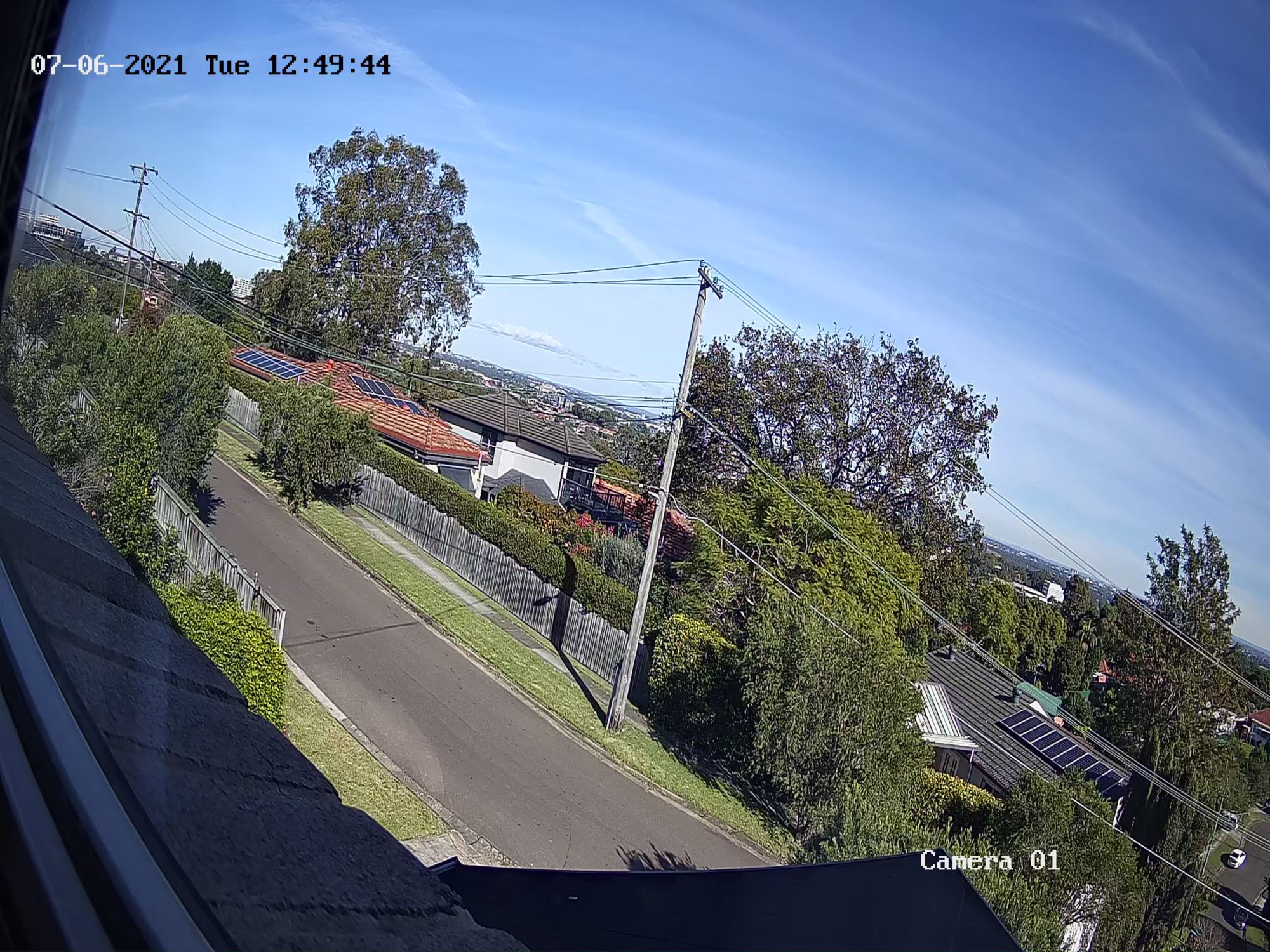
D-Link’s Vigilance Series Surveillance Solutions cater for those needing a reliable, high-resolution business monitoring solution.  This solution does not rely on the internet or Wi-Fi. Instead uses a network video recorder and six different types of surveillance cameras that can be relied upon day and night.

What’s so special about Vigilance Series?

It’s a combination of their functionality, simplicity and ease of use. Traditionally business surveillance solutions have been expensive and complicated. The new D-Link Vigilance Series is the opposite. 

The DNR-4020-16P H.265 PoE Network Video Recorder provides powerful, professional-grade surveillance supporting up to 16 cameras and their power requirements. With up to 4K Gigabit Ethernet Network port which ensures sufficient bandwidth and reliability.

Cameras can stream in real-time, as well as record and playback footage anytime, anywhere. It also supports ultra-high definition 4K giving viewing experiences of the highest quality.

The DNR-4020-16P network video recorder also features support for H.265 (also known as High-Efficiency Video Coding) for improved storage efficiency, saving up to 50% more storage space than previous standards.

This is a big deal as, over time, most businesses generally demand more cameras and higher-quality footage. The DNR-4020-16P supports a storage capacity of up to 16TB via its two internal 3.5” HDD SATA slots. This is enough for most businesses to enjoy a reasonable period of retaining their footage for later use.

D-Link’s new Vigilance Series Surveillance Solutions also have an accompanying free JustConnect+ Mobile App, enabling easy on-the-go viewing and management.

Without going into too many tech specs, each Vigilance Series Camera features a 2, 4, or 8-Megapixel progressive CMOS sensor, which means they deliver superior quality video. They are also IP66 weather-resistant to maintain maximum performance in outdoor environments.

D-Link have more smarts, too, with a Wide Dynamic Range that ensures that imaging is clear in high contrast lighting conditions and 3D Noise Reduction, allowing the camera to capture clearer videos even under poor lighting conditions. They also have something called “30M IR illuminators”, which in layman’s terms mean the Vigilance range of Cameras presents a clear image even when in complete darkness.

Finally, features such as Corridor Mode provide vertically oriented streaming for the maximised field of view when users need to monitor areas such as hallways, staircases and tunnels. You can also block out sensitive areas with the Privacy Mask feature. Their in-built Motion Detection helps to save bandwidth and makes it easier for me to review footage.

All in all, as a small business owner who wants a cost-effective, reliable, high-resolution business surveillance solution D-Link’s new Vigilance Series provides an excellent choice.

Small Business Answers has a buying guide on Video surveillance for Security.

Small business landscape for 2021

There’s no question the Covid19 pandemic has forever altered the small business landscape in Australia. Lockdowns nationally have accelerated the rise of pre-existing trends towards digitisation, cementing them as fully-formed patterns across different industries and sectors.

While the pandemic hasn’t been easy on the economy, there are many opportunities Australian businesses can leverage in this new terrain of 2021. Businesses need to understand how Covid19 has impacted the economy if they want to make the most of these opportunities.

2020 in hindsight

Before we look ahead, it’s important to understand exactly how Covid19 has impacted the Australian small business landscape. Federal government research has shown the pandemic has affected most businesses to some degree – Victoria the hardest hit due to the second lockdown, which began in August and didn’t begin to ease until late October.

In the early months of the pandemic, many businesses reported a stark downturn in demand for their goods and services. They also reported having to let staff go or decrease staff hours to remain financially viable. In contrast, recruitment numbers across the country looked more promising in later months. A peak unemployment rate of 7.5 per cent in July had only lowered to 6.9 per cent by October, despite most of the country opening up again to varying degrees.

While it’s true the pandemic in Australia certainly hasn’t blown out to the catastrophic proportions seen in some other countries, the economy will need time to recover. Businesses need to be aware of how Covid has reshaped the trajectory of 2021 to take advantage of all the new economic small business landscape has to offer.

What will the Australian economy look like in 2021?

Recovery will be the theme of the year for the Australian economy. While many businesses in states other than Victoria enjoyed the initial ‘bounce-back earlier last year following the end of lockdowns, Melbourne isn’t too far behind.

That said, businesses can’t afford to depend on an initial ‘bounce back’ to move them forward. Deloitte predicted recession-like conditions in Australia throughout 2021; however, it suggested the bounce back in household spending would occur faster than the recovery in business investment. The Reserve Bank believes the country may have escaped recession as early as September 2020 – with growth in other states outweighing the drag in Victoria – addressing the economy will be at the top of the federal government’s plan, either way. Previously-announced measures such as personal tax cuts and business investment incentives may go some way to reversing the pandemic’s economic effects.

Top emerging trends in 2021 your business needs to know about

Australian businesses can boost their recovery by staying on top of emerging industry trends. With the increasing migration of everyday business operations to the digital space thanks to the pandemic. There is a raft of ways businesses can stay ahead of the curve and take advantage of all the ‘new normal’ has to offer.

From hybrid working-from-home arrangements to the necessity of integrating AI into business operations, the future of business in Australia is exciting. However, businesses need to successfully implement these trends ahead of their rivals if they want a competitive advantage in the market.

Aussie broadband has put together a free ebook covering emerging business trends for 2021.

Small Business Answers have a number of guides to help you improve your digital presence.