Creative ideas don’t always arrive fully formed — often, they take shape through exploration, trial and error, and refinement. That’s why we designed Adobe Firefly as an all-in-one creative AI studio where creators can work with the industry’s leading AI models and powerful creative tools, all in one place, to move from idea to finished work.
Today, we’re giving you the freedom and flexibility to go deeper in your creative exploration with unlimited image and video generations. Firefly subscribers can now create unlimited generations with industry-leading image models, including Google Nano Banana Pro, GPT Image Generation, Runway Gen-4 Image, as well as Adobe’s commercially safe Firefly image and video models.
Unlimited generations for continuous creative exploration
It’s been exciting to see how generative AI has become an essential part of your creative toolkit. Eighty-six percent of creators use creative AI in their daily workflows. And you’re not just using it — you’re honing your craft. The average Firefly prompt length doubled in 2025 — showing how creators are engaging more conversationally with creative AI and proving that prompting itself is becoming a core creative skill.
With unlimited image and video generations, it’s easier to stay in your flow — so you can explore new ideas and creative directions as they emerge, play with different variations, styles, and approaches across models, and refine a concept as many times as it takes to get it right.
Unlimited generations are available on firefly.adobe.com, in Firefly Boards — Adobe’s collaborative, AI-powered ideation surface — and in the Firefly mobile app on iOS and Android, giving you different places to explore ideas and refine work as it takes shape.
Turn unlimited generations into meaningful creative output with Firefly’s best-in-class tools, bringing your creative vision to life across any medium.
- Develop and align ideas in Firefly Boards, where you and your team can bring inspiration, references, and generated assets into one shared space to iterate quickly, gather feedback, and move concepts forward together.
- Edit sequences with Firefly video editor, the browser-based assembly space for generative storytelling
- Continue to refine by adding sound effects or fully-licensed music tracks
- Edit your images with Prompt to Edit — simply describe your changes in plain language, such as adding or removing objects, swapping backgrounds, or refining details instantly
From idea to finished creation — without breaking your flow
What makes Adobe Firefly different isn’t just unlimited generations — it’s also what you can do with your creations after you generate them.
Firefly connects your creative exploration directly to Adobe’s professional-grade tools, so you can move from ideas to finished work without starting over. Generate in Firefly, refine with precise controls, and finish with even more power and precision in Creative Cloud apps like Photoshop and Premiere to refine the result and make it truly production ready.
What to create right now
To spark ideas for how to make the most of unlimited creation with Firefly, here are a few fun ways you can bring seasonal moments to life:
Create Valentine editorials with Firefly Boards
Check out our Valentine’s Day–themed Firefly Boards presets that make it easy to jump into styles and trends. Just go to the “Presets” tab and choose the Valentine’s Day preset (Sweet Treats or Tarot & Lipstick), add images and hit “Generate.” You’ll see your variations and can start refining your ideas directly on the board. Here’s a tutorial to get you started.

Make throwback Valentine’s cards (elementary-school style!): Remember handing out cards to everyone in class? Using Google’s Nano Banana Pro model in Adobe Firefly, recreate that charm by designing playful, nostalgic Valentine’s cards for friends and family — then refine colors, fonts, and illustrations until they feel perfectly personal. Click here to try it now.

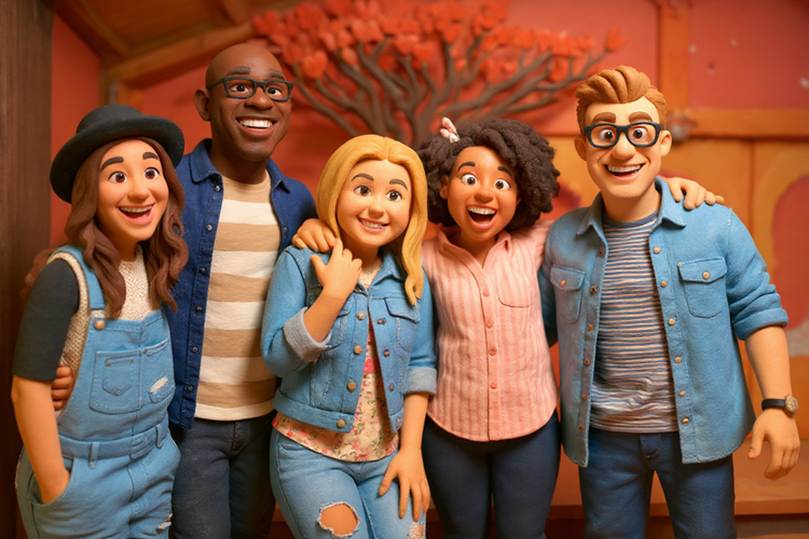
Turn you and your bestie into claymation characters: Celebrate Valentine’s by transforming photos of you and your pal into adorable claymation-style characters—complete with hearts, candy, or cozy Valentine’s vibes. Experiment with different looks until you land on a style that feels just right. Upload a reference image and try it now.
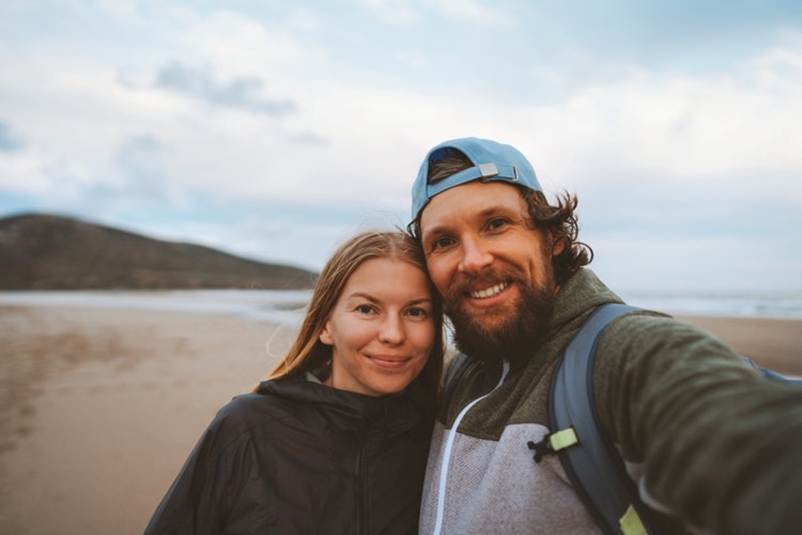
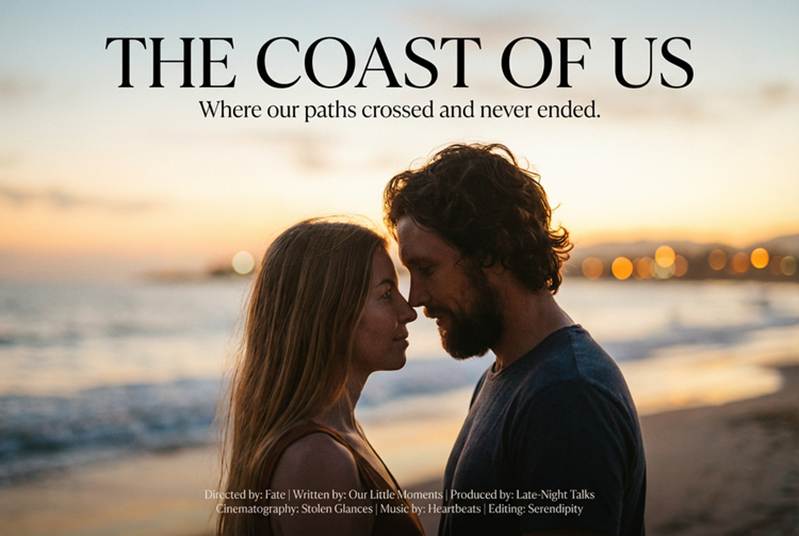
Create a romance movie poster or book cover: Turn your friendship or love story into a full-blown, rom-com moment. Generate multiple poster concepts, tweak the mood and typography, and refine the details until it looks like it belongs on a marquee. Upload a reference image of you and your friend or crush and try it now.

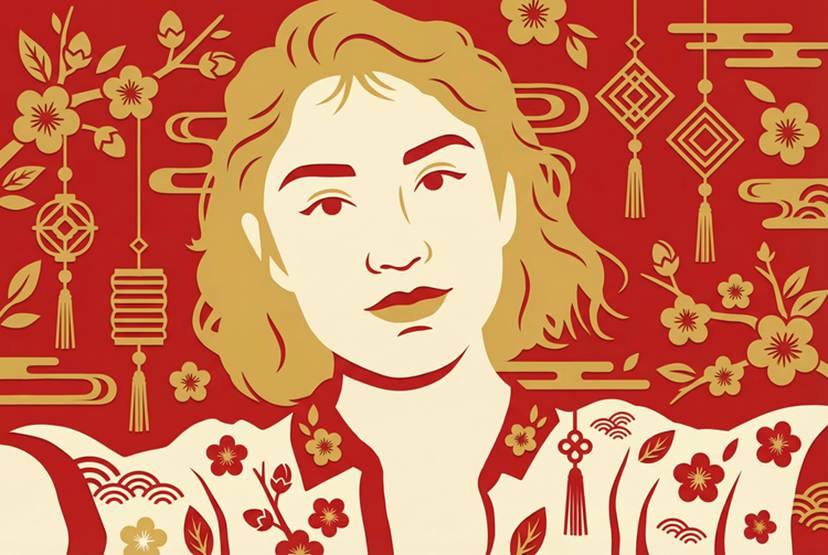
Transform your photo into a Lunar New Year paper-cut design: Using Google’s Nano Banana Pro model, reinterpret photos or ideas as contemporary paper-cut graphics — exploring symmetry, symbolic motifs, and bold, high-contrast shapes. Upload a reference image and try it now.